 Azure
Azure Bicep
BicepAdmittedly, this is probably a bit of a late article, I haven’t verified. But I stumbled upon it by chance. In VS Code there is a configuration panel to launch your Bicep deployments.
Before discussing it further, I’ll remind you that deploying from your VS Code by default is wrong, there are plenty of CI/CD tools out there for that, like Github Actions. But honestly, for testing purposes we’ll have to admit it’s still quite practical.
Before I used to do like many with the integrated command Bicep: Deploy Bicep file…
But if you create a parameter file of bicepparam type, it is possible to display a deployment panel that looks like this:
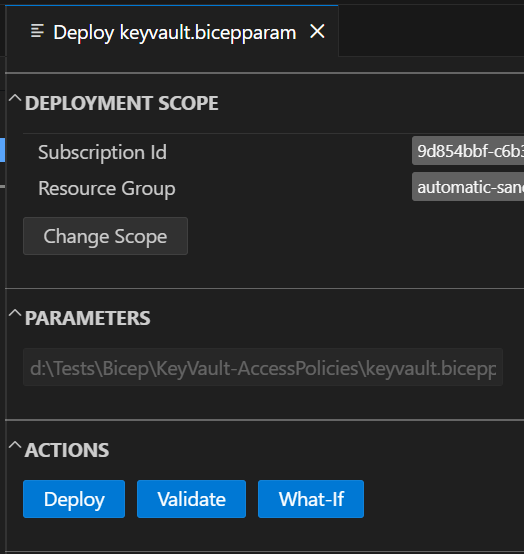
And in this panel, the real game changer (at least for me) is being able to select a scope and have it remembered. So there is no need to keep spamming the Enter key after running the Bicep: Deploy Bicep file… command.
Comments
Post comment